Salon · Hairdresser · Massage · Cleaning

From website to booking in one place.

Kundla gives your firm a professional website with services, photographs and contact details, and online booking and customer follow-up when you need them. You update the content. We take care of hosting, security and technical operation.

Get started quickly
Choose a look, add your services
Your firm is spared
No technical operation
Your customer gets
Contact and booking together
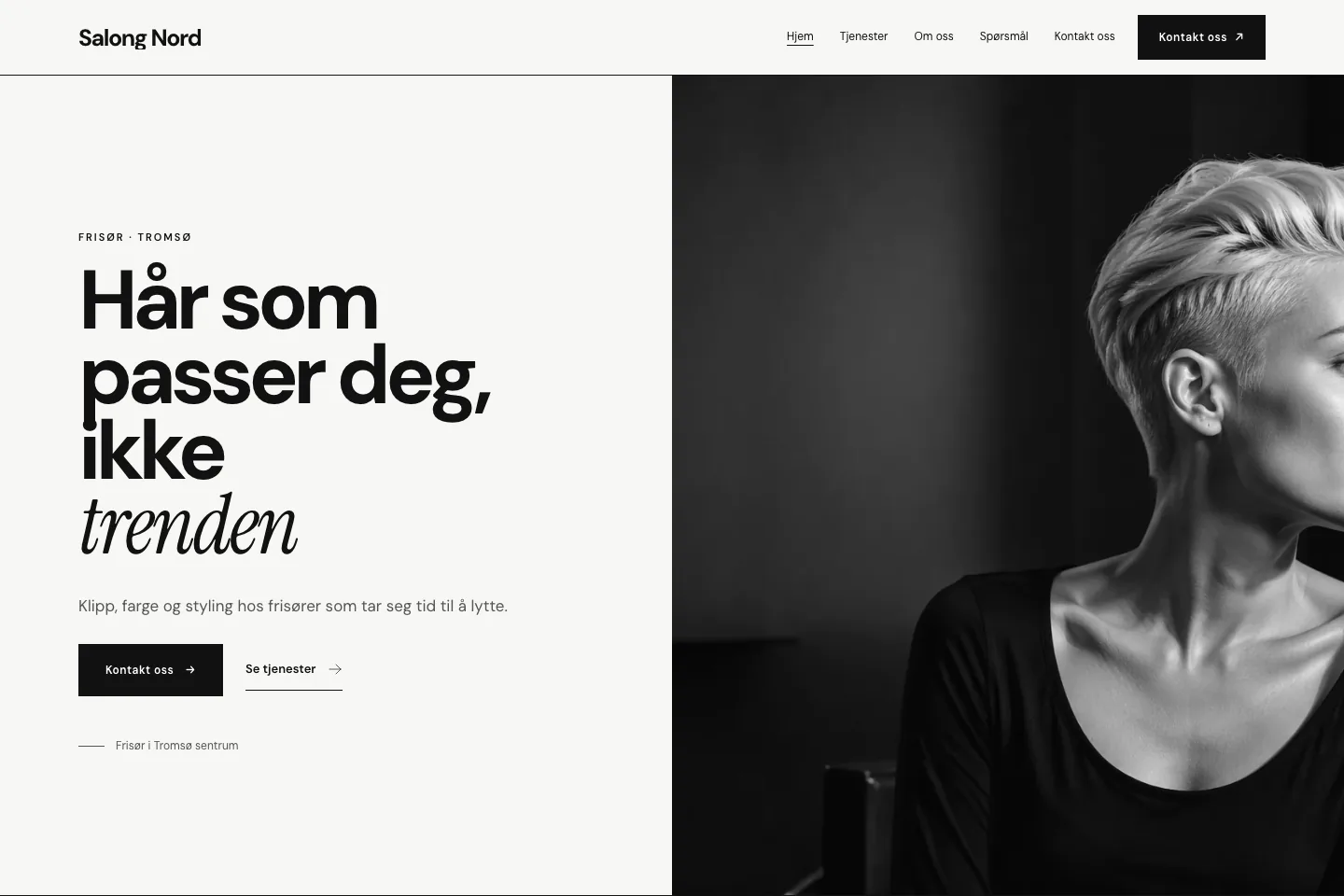
Example of a firm’s website made with Kundla: a hair salon with a large photograph, a menu and a contact button
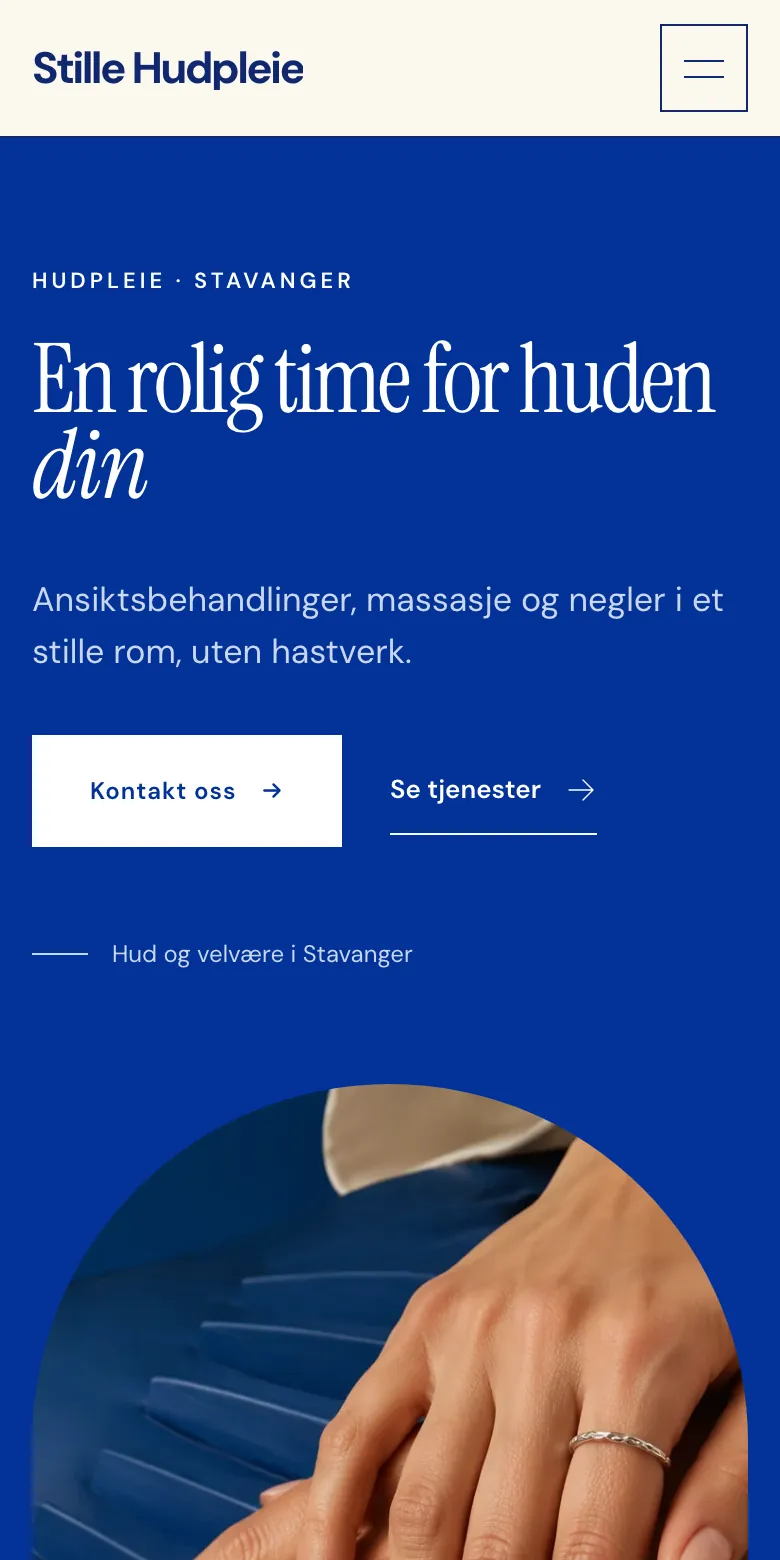
Example of a firm’s website on a phone: a skin and wellness studio
Two of the templates, shown with fictitious firms.

Examples

A finished look for your trade.

Each template is a whole website: structure, colours, typeface and photographs. Your texts, services and prices stay yours when you change the look.

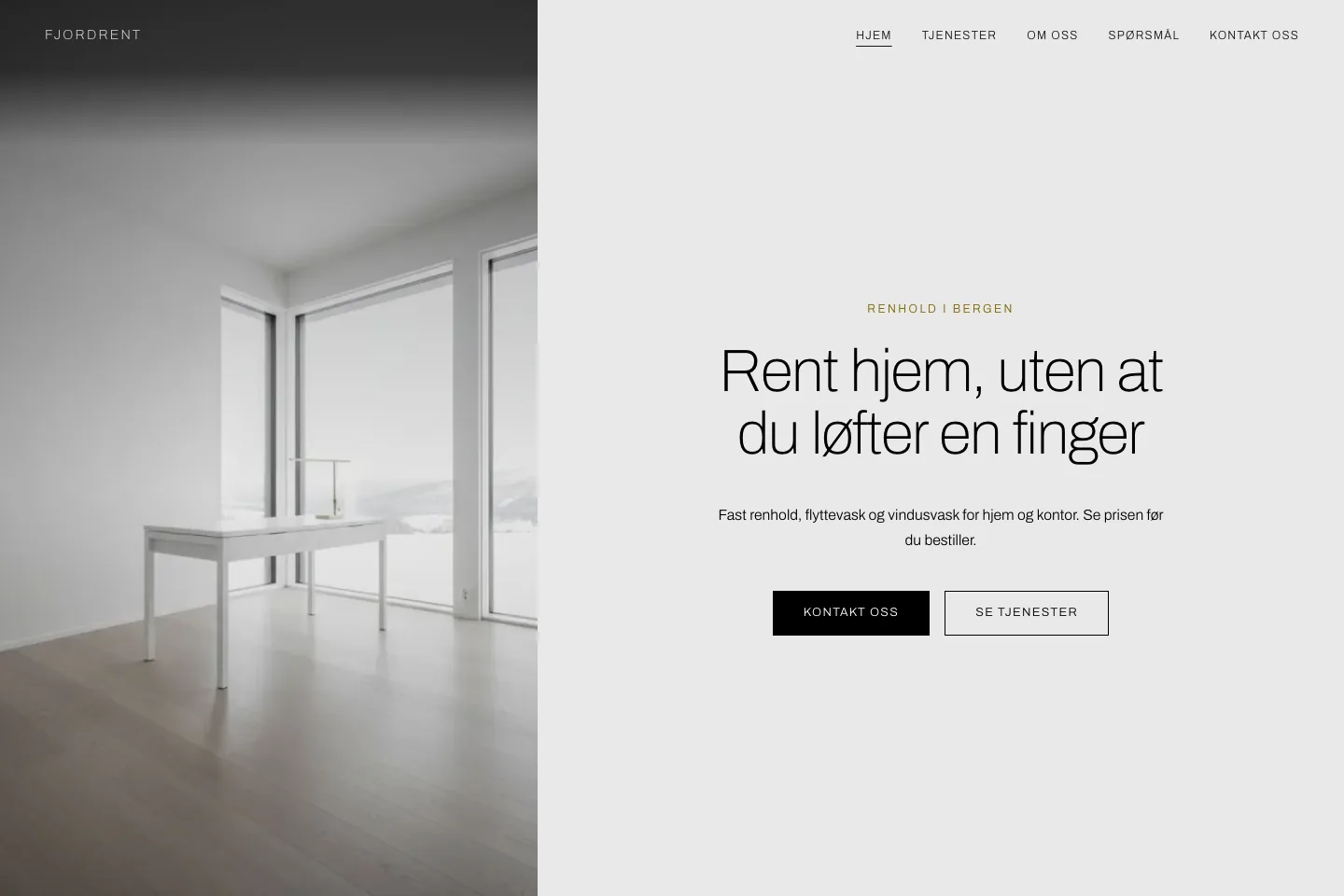
  • Example website for a cleaning firm: a photograph of a bright room beside the firm’s heading and two buttons

    Template Klar

    Cleaning

    Services with a price estimate, the areas you cover and a booking request the firm confirms.

  • Example website for a hair salon: a large heading and a contact button beside a portrait photograph

    Template Kontur

    Hair and salon

    Treatments with duration and price, the people who work there and a time the customer chooses.

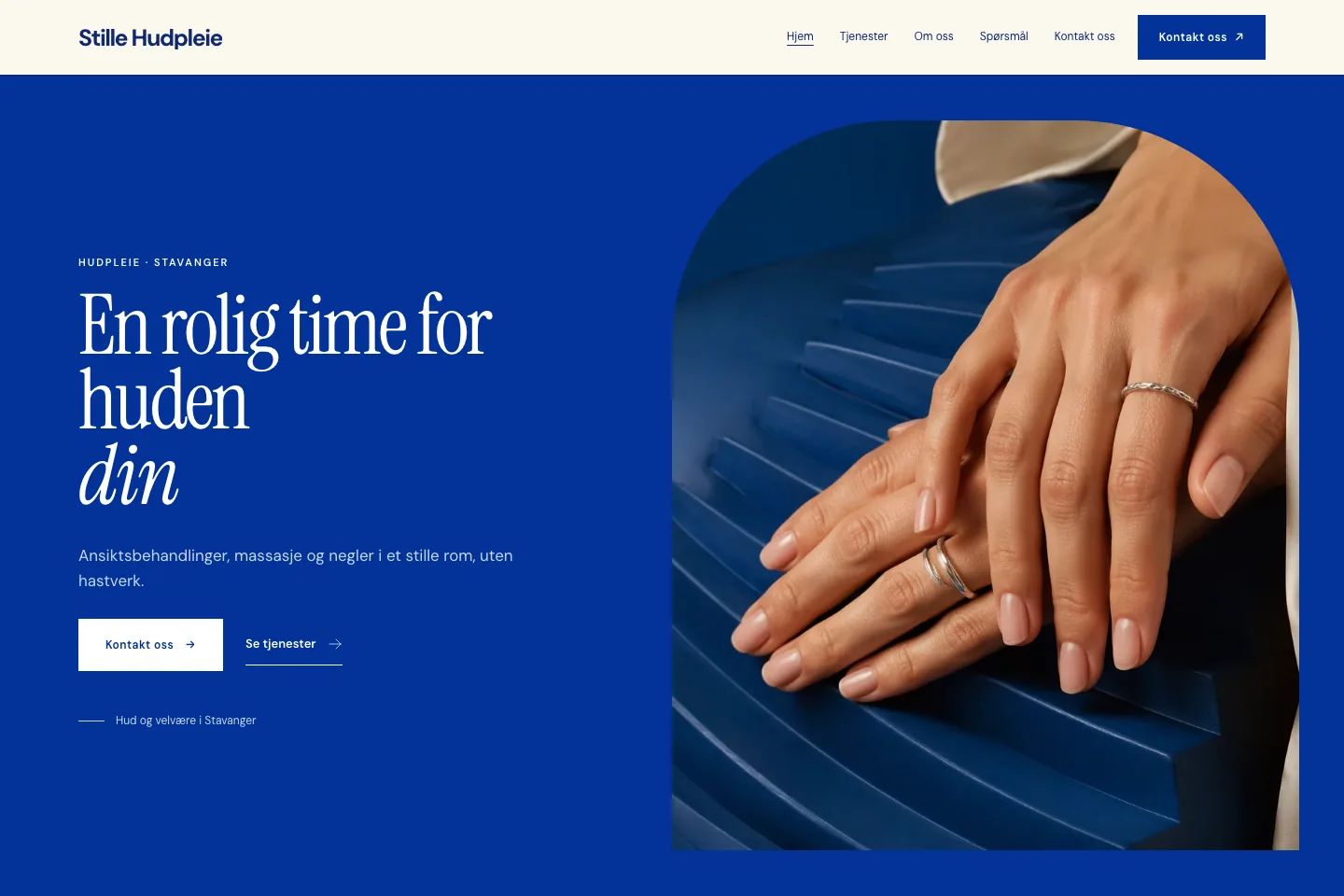
  • Example website for a skin and wellness studio: a blue opening with a heading, a contact button and a photograph of two hands

    Template Bue

    Skin and wellness

    A calm page for a clinic or a studio, with treatments, the people behind them and booking of a time.

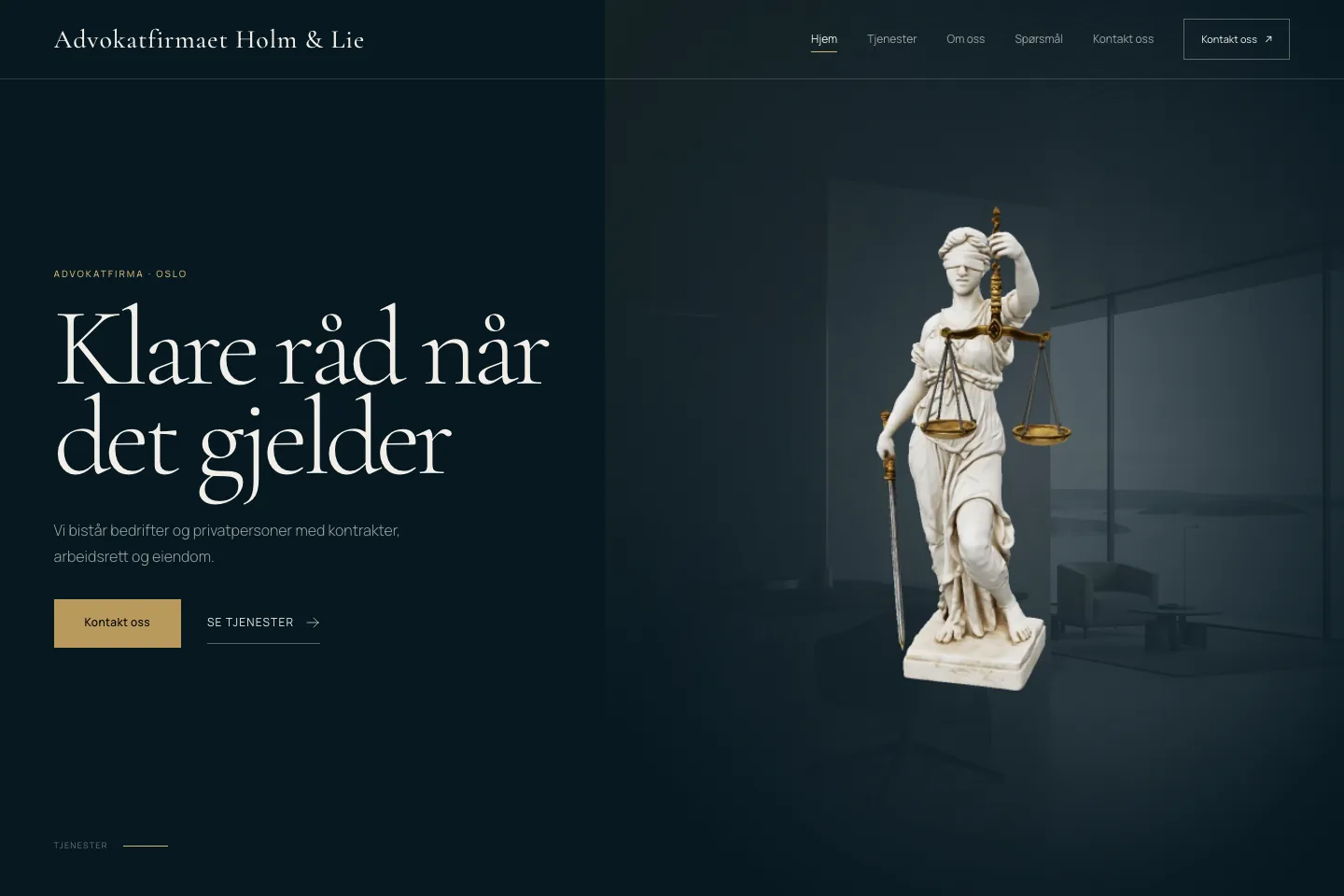
  • Example website for an advisory firm: a dark opening with the firm’s heading and a statue of Lady Justice

    Template Justitia

    Advisory and office

    A serious first impression for a law, accounting or consulting firm: what you do, who you are and how to reach you.

The examples show fictitious firms. Every template can be used by every trade.

What do you need?

Start with the website. Add booking when you are ready.

Three plans, each containing everything in the plan below it. You can move up or down without losing what you have built.

Synlig

A website with a contact form

You present your firm and your services, and visitors write to you. Their messages land in one inbox.

  • Every template, Norwegian and English
  • Services, gallery and the team
  • Contact form and Messages
  • Reviews from your customers
Timebok

Customers book a time and come to you

For a salon, a clinic or an office. Visitors choose a service, a person and a time, and come to your premises.

  • Everything in Synlig
  • Appointments with duration and price
  • Opening hours and staff who take appointments
Drift

You go to the customer

For cleaning and other work at the customer’s address. Visitors check their postcode, see a price estimate and ask for a time.

  • Everything in Timebok
  • Areas, price estimate, jobs and work time
  • Customers and quotations

What each plan contains and costs is shown on the plans page. See plans

How it works

From plan to a website your customers can use.

A setup guide in the dashboard takes you through it step by step. If you get stuck, we help you set it up, free of charge.

  1. Choose a look

    Pick a template and see your own texts in it before anything is published. Change colours and typeface if you want.

  2. Add services and hours

    Write what you offer, with price and duration where it fits, and when you are open.

  3. Publish and follow up

    Publish when you are satisfied. Messages and bookings arrive in the dashboard, and you answer from there.

The problem

The phone that never stops ringing.

It is not the work that wears you out. It is everything around it.

Questions while you are working

What does it cost, when are you free, do you come to us? The same questions, in the middle of a job.

Requests in five places

Text messages, e-mail, social media and a note on the counter. Something is always forgotten.

A website nobody dares to touch

It was made once, by someone else. Changing a price or a photograph means asking for help.

With us: no fee per booking. Your customers pay you, not us.

The solution

One place for the website and the working day.

The customer finds the answer

Services, prices, opening hours and contact details are on the website, in Norwegian and English.

Everything arrives in one place

Messages and bookings come to the dashboard. You confirm what becomes a job or an appointment.

You change it yourself

A new price, a new photograph or a new colleague takes a few minutes, from a phone or a computer.

Price

A fixed monthly price. No project.

Hosting, security updates and new features are included. Kundla takes no share of what your customers pay you.

Plans from

NOK 199.00/mo

The plan and checkout show the trial and payment terms available to you.

No setup fee

See all plans and terms

No risk

Try first. Decide afterwards.

No lock-in
Cancel whenever you want. The subscription runs to the end of the period you have paid for and is not renewed.
Your content is kept
After a cancellation we keep your data for 12 months, so you can come back to everything as you left it.
Help with setup, free
We help you get the website and your services in place. It costs nothing extra.
Support by e-mail
Write to us and get an answer within one working day. post@kundla.no
Operation included
Kodemagisk AS runs hosting, security updates and technical maintenance. You need no technical project.

Before you get started

A few practical answers.

Short answers about the plan, payment, your data and support.

Can’t find your answer? Write to us

What is Kundla?

Kundla is software for small firms in Norway, operated by Kodemagisk AS. Your firm gets its own website and, depending on the plan, online booking and customer follow-up. You provide the service to your customers yourself.

Which trades is it for?

Firms that need a website, firms whose customers book a time and come to them, such as salons and clinics, and firms that work at the customer’s address, such as cleaning firms.

Is there a minimum term?

Cancel anytime. Your subscription runs until the end of the period you've paid for.

How do I cancel my subscription?

Open the subscription in the workspace and cancel there. A no-card trial does not charge a payment card automatically.

What happens to our data?

Each company has its own workspace. Staff access follows membership and permissions, and customers can access only their own information in that company’s portal.

How do our customers pay?

Your customers pay your firm directly, by invoice and bank transfer as you do today. Kundla does not handle their payments and does not synchronise with your accounting system or bank.

How do we pay for Kundla?

You pay the subscription at checkout. Kundla does not take a share of each job.

How long is the trial?

The current trial duration is confirmed during plan selection and checkout.

Do you help us get started?

Yes. A setup guide in the dashboard takes you through the steps, and we help you by e-mail, free of charge, if you get stuck.

Next step

See your own firm in it before you decide.

Choose the plan that fits your firm, pick a look and add your services.